
Turn Any Document Into a Study Kit
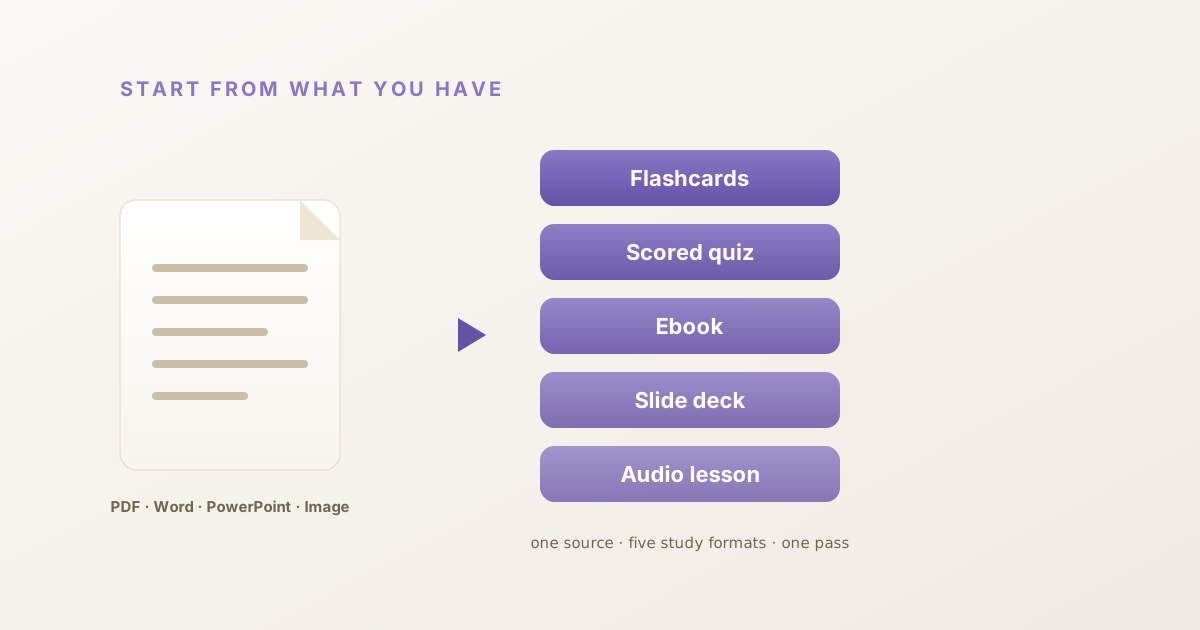
Start from what you already have
Most study tools begin with a blank box: type a topic, wait, get one format back. But you rarely start from nothing. You start from a textbook chapter, a training deck, a page of course notes, or a slide someone emailed you.
Until now, getting that material into a study tool meant copy-pasting it paragraph by paragraph — or retyping it from scratch.
That step is gone. HippoKit now reads the file you already have — a PDF, a Word doc, or a PowerPoint — and builds all five study formats from it in one pass. Drop the file in, and HippoKit does the reading.
What multi-format upload does
You give HippoKit one source. It gives back a complete study kit — five formats generated together:
- Flashcards for active recall
- A scored quiz to test what you actually know, not just review
- A formatted ebook you can read or export to PDF
- An audience-themed slide deck — Playful, Academic, Scholarly, Executive, Pitch, Editorial, or Studio
- An AI-narrated audio lesson for studying on the move
One upload in, five study-ready formats out.
Which files can I upload?
- PDF — textbooks, papers, reports, and manuals become a study kit. PDF upload is available on every plan, including Free.
- Word (.docx) — course notes and training documents turn into flashcards, a quiz, and the rest. Word upload is on paid plans.
- PowerPoint (.pptx) — re-cut an existing deck into a quiz, an ebook, and an audio recap without rebuilding it by hand. PowerPoint upload is on paid plans.
Don't have a file? You can still start from a topic. A topic or any of these sources produces the same study kit: flashcards, a quiz and an ebook on every plan, plus slides and audio on Plus and up.
How it works
- Upload your file. Sign in, then drag in a PDF (or, on a paid plan, a Word doc or PowerPoint) on the generate page.
- HippoKit reads it. It extracts the text and structure so you never have to copy-paste.
- Get your formats. Flashcards, a quiz, and an ebook on every plan, plus a slide deck and an audio lesson on Plus and up — all from that one source.
Who this is for
- Self-learners turning a dense PDF chapter into flashcards and a quiz instead of re-reading it five times.
- Instructional designers and L&D teams re-cutting an existing training deck into a quiz, an ebook, and a narrated recap — without rebuilding the content from scratch.
- Anyone with a folder of notes who wants to study the material, not just store it.
Why five formats instead of one?
Because different formats do different jobs. Flashcards build recall. A scored quiz tells you what you don't know yet. An ebook gives you the full picture. Audio lets you review while walking or commuting. Studying the same material across formats beats re-reading it once — and HippoKit makes all five from a single upload, so there's no extra work to get them.
Frequently asked questions
Can HippoKit turn a PDF into flashcards?
Yes. Upload a PDF and HippoKit reads it, then generates flashcards, a scored quiz, and a formatted ebook from it in one pass — plus an audience-themed slide deck and an AI-narrated audio lesson on Plus and up. PDF upload is available on every plan, including Free.
Can I convert a PowerPoint into a quiz?
Yes, on a paid plan. Upload a .pptx file and HippoKit re-cuts the deck into a quiz, an ebook, and a narrated recap, alongside flashcards and audience-themed slides.
Do I have to copy-paste my notes?
No. HippoKit reads the file directly — PDF, Word, or PowerPoint — so there's no copy-pasting and no re-typing.
What file formats does HippoKit accept?
PDF, Word (.docx), and PowerPoint (.pptx). You can also start from just a topic.
Is uploading free?
PDF upload and the core formats — flashcards, quizzes, and ebooks — are available on the Free plan. Audio lessons and audience-themed slides are included on Plus and above.
Stop retyping your notes
Upload a PDF, Word doc, or PowerPoint and get a complete five-format study kit in one pass. Generate your first kit free.