
How to Revise an AI-Generated Study Kit by Chatting
Short answer
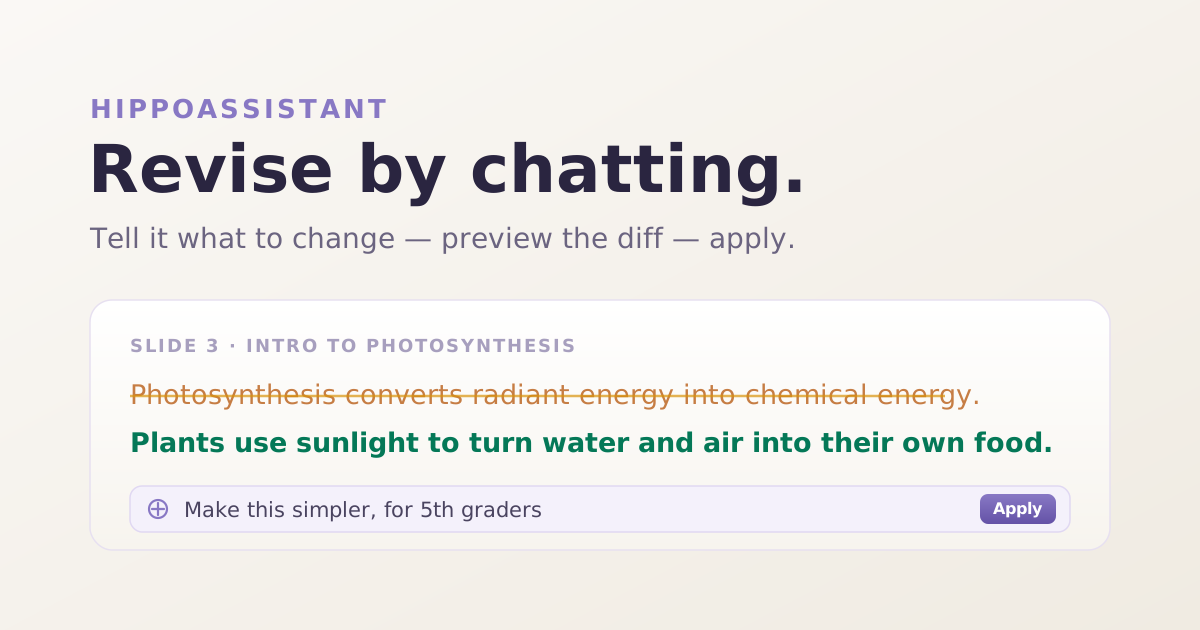
To revise an AI-generated study kit by chatting, open your kit, pick the section you want to change, and tell HippoAssistant what to fix in plain language — "make this simpler," "add a card on X." You preview the diff, then apply it. Revision is section-scoped and available on Plus and up.
How do I revise an AI-generated study kit without regenerating it?
Every AI-generated draft lands about 90% right. One flashcard is worded awkwardly. A quiz question tests the wrong idea. An ebook section pitches a beginner audience when you needed something more advanced. The old fix was blunt: regenerate the whole kit and hope the parts you liked survived.
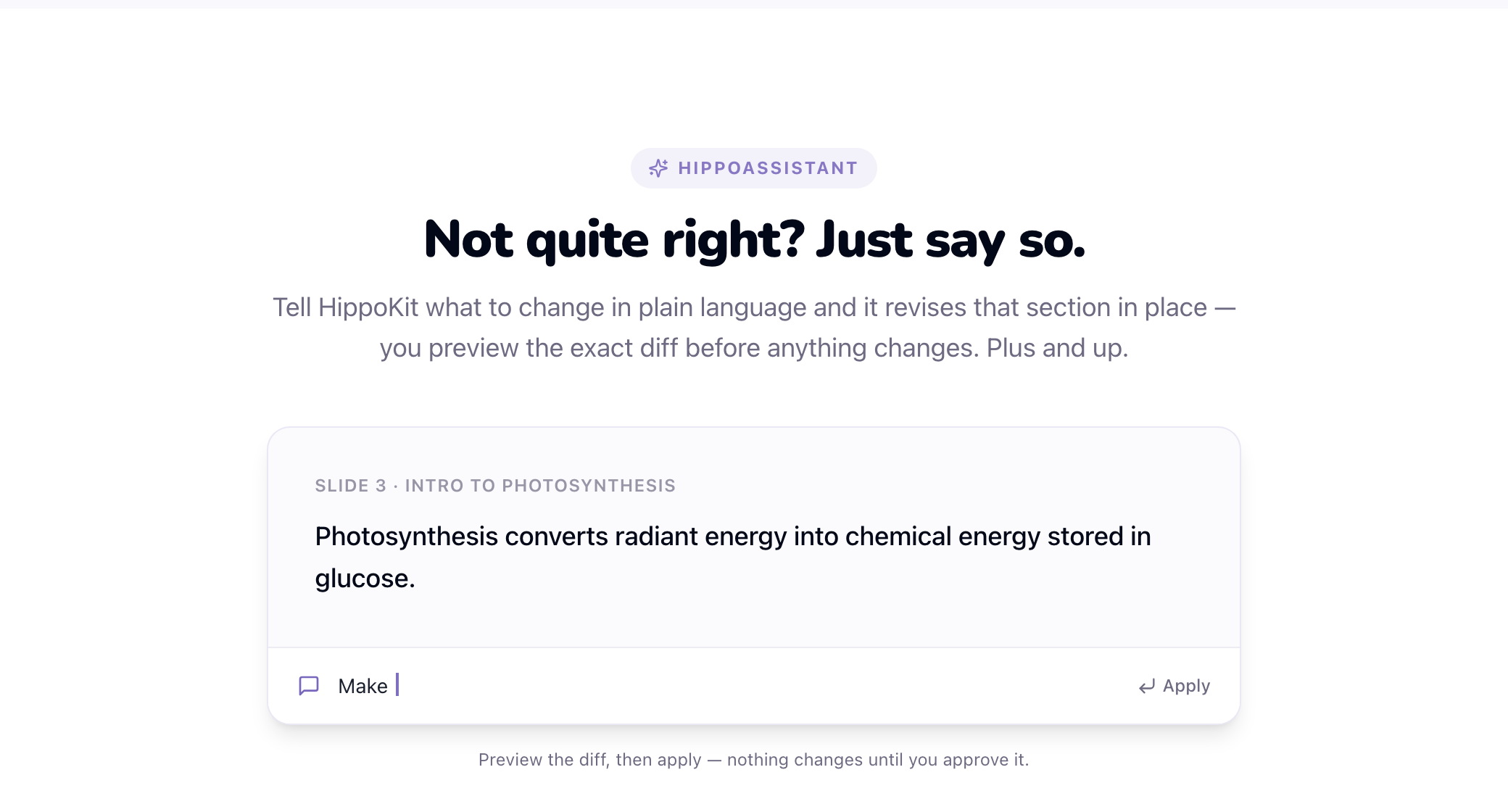
That trade-off is gone. HippoKit now lets you revise a study kit by chatting — you describe the change in plain language, preview the exact diff, and apply it to a single section without touching the rest of the kit. It is conversational editing, not a re-roll.
This matters most for the people who live in the last 10% of a draft: instructional designers and L&D teams who need the content right, not just fast. You keep the parts that work and surgically fix the parts that don't.
What is HippoAssistant conversational revision?
HippoAssistant is the in-kit editor that turns a plain-language request into a targeted edit. Instead of re-typing content or rebuilding a card by hand, you tell it what you want and it proposes the change.
Three things define how it works:
- It is section-scoped. You revise one section at a time — a flashcard, a quiz question, an ebook chapter. The rest of the kit stays exactly as it was. HippoAssistant does not regenerate the whole kit from a chat message.
- You preview a diff before anything changes. HippoAssistant shows you the proposed edit as a before/after diff. Nothing is written until you approve it, so you are never surprised by what the model did.
- It requires sign-in and ownership. Conversational revision works on kits you own while signed in. It is available on the Plus tier and up.
The result is control. You are not gambling a good draft on a full regeneration to fix one line.
How to revise a section by chatting
The flow is short and repeatable:
- Open your kit and pick a section. Go to the kit you want to edit and select the flashcard, quiz question, or ebook section that needs work.
- Describe the change. Tell HippoAssistant what to do in plain language — "reword this card for beginners," "make this quiz question harder," "add an example to this section."
- Preview the diff. HippoAssistant proposes the edit and shows you a before/after diff of just that section.
- Apply it — or ask again. Approve the diff to write the change, or refine your request and preview again until it is right.
Because each edit is scoped and previewed, you can iterate quickly without ever risking the sections you already approved.
What does "Tune for me" personalization do?
"Tune for me" is a separate, complementary feature that shapes a kit as it is generated, before you ever open the editor.
When you generate while signed in, "Tune for me" adjusts the framing and reading level of the output to fit you — a more foundational take, a more advanced one, more worked examples, a tighter summary. Crucially, it changes how the material is presented, not what is true. The underlying facts stay neutral and accurate; personalization only moves the framing and the level.
"Tune for me" is available to every signed-in user, including Free. There is also an opt-in mode that learns from your generation history to tune future kits automatically. That learned mode is strictly opt-in, and you get review and delete controls over what it has learned — you can see it and remove it at any time, consistent with your right not to be subject to purely automated decisions under GDPR Article 22.
Used together, the loop is: "Tune for me" gets the first draft closer to your audience, and HippoAssistant chats the last details into place.
Conversational revision vs. full regeneration
For "why not just regenerate?" — the difference is scope and safety.
| Full regeneration | HippoAssistant revision | |
|---|---|---|
| Scope | Rebuilds the whole kit | One section at a time |
| Your approved sections | May change | Untouched |
| Preview before it applies | No | Yes — a before/after diff |
| Best for | Starting over | Fixing the last 10% |
| Availability | All tiers | Plus and up |
Regeneration is the right tool when you want a fresh take. Conversational revision is the right tool when the draft is mostly good and you need to fix specifics without collateral damage.
Which plan do I need to revise by chatting?
Conversational revision is a paid feature, metered by a monthly revision allowance. "Tune for me" personalization is available to all signed-in users, including Free.
| Plan | Price | Conversational revisions | "Tune for me" |
|---|---|---|---|
| Free | $0 | — | Yes |
| Plus | $12.99/mo | 40 / month | Yes |
| Premium | $34.99/mo | 150 / month | Yes |
| Studio | $99/mo | Uncapped | Yes |
Every plan starts from the same core loop: type a topic — or upload a PDF (Word and PowerPoint on paid plans) — and get study-ready formats in about 1–5 minutes: flashcards, a scored quiz and a formatted ebook on every plan, plus an audience-themed slide deck and an AI-narrated audio lesson on Plus and up. Revision and personalization refine that output; they do not replace it.
Try it
Generate a kit, then chat it into shape. Start free → No credit card required.
— The HippoKit Team
FAQ
Can I edit an AI-generated study kit without regenerating the whole thing? Yes. HippoAssistant lets you revise a study kit section by section. You describe the change in plain language, preview a before/after diff, and apply it to just that section — the rest of the kit is untouched. Conversational revision is available on the Plus tier and up.
Does chatting with HippoAssistant regenerate my whole kit? No. HippoAssistant is section-scoped. A chat message edits the one section you selected — a flashcard, a quiz question, or an ebook chapter — and previews the change as a diff before applying it. It never rebuilds the entire kit from a chat request.
How many conversational revisions do I get? Plus includes 40 revisions per month and Premium includes 150 per month. Studio and Enterprise plans are uncapped. Personalization with "Tune for me" is separate and available to every signed-in user, including Free.
What does "Tune for me" personalization change? It adjusts the framing and reading level of a generated kit to fit you — more foundational, more advanced, more examples. It changes how the material is presented, not the facts. The learned-from-history mode is opt-in, with controls to review and delete what it has learned.
Do I need to be signed in to revise or personalize a kit? Yes. Conversational revision requires being signed in and owning the kit, and is available on Plus and up. "Tune for me" personalization also requires sign-in but is available on all tiers, including Free.
What can I upload as a source? A typed topic, or a PDF, Word (.docx), or PowerPoint (.pptx) document. Image and screenshot uploads are not supported — start from a topic or one of those document types instead.